
Boddle: Math & Reading Game
BoddleEducational
4.31.29K Reviews
- Version
- 1.41.0
- Installs
- 500.00K
- Age Rating
- Everyone
Screenshots
Our Review of Boddle: Math & Reading Game
 Analysis by Appyee
What makes Boddle worth considering is its attempt to make practice feel like part of a game rather than another worksheet. That distinction matters most for children who are willing to solve problems when there is a playful goal attached, but lose interest when practice feels repetitive. I see it as a way to invite a child into a short learning session, not as a replacement for teaching or a guarantee that every subject will suit every learner.
Why the game format can help
As an educational game from Boddle, it puts math practice at the center of its play, while its wider pitch also includes reading and science. The practical appeal is the change of context: a child is responding to learning prompts while moving through a game, rather than facing a page of exercises. For a parent, that can make it easier to get a reluctant learner started. The game still depends on the child being ready to engage, though; colorful presentation cannot make every topic enjoyable for every child.
I would use it as a supplement alongside schoolwork. If a child has just covered a topic in class, a brief session can provide another chance to encounter the material in a less formal setting. If they are confused about a new idea, I would first explain it or ask their teacher for guidance rather than expecting a game to diagnose the whole problem. That boundary keeps the app useful without asking it to do a job it was not designed to do.
A small routine works better than a long session
A realistic use case is the stretch after school when a child needs a quiet activity before dinner. I would offer a short play session as an option, then ask what kind of problem they encountered or what they found easy. That conversation gives me a better sense of whether the activity felt like practice or simply play. It also lets the child explain their thinking without turning every session into a test.
One useful habit is to notice whether a child is answering thoughtfully or tapping through prompts to reach the next reward. If they rush, I would pause and ask them to talk through one answer before continuing. This is a low-effort way to make the game more reflective, and it helps a parent distinguish genuine practice from reward-chasing. It does not require sitting beside the child for the whole session.
Where it fits among learning options
Compared with a standard workbook, a game can feel more inviting and less like extra homework, but a workbook is easier to use for a focused, quiet review and does not depend on screen time. Compared with a broad educational video, interactive questions ask the child to respond rather than just watch. Those are different strengths, so I would choose based on the child’s immediate need: explanation, repetition, or a nudge to get started.
The game format also has a trade-off. Rewards can help keep a child engaged, but they may become the main reason to continue. I would treat progress in the game as a prompt to check what the child understands, not as proof of mastery. If they can explain an answer in their own words, that is a more useful sign than simply reaching another stage.
Who is most likely to enjoy it
I think it is most promising for children who like playful digital activities and need a gentler route into practice. It may also suit a family looking for a shared activity: an adult can let the child navigate independently, then check in afterward about what was challenging. The Everyone content rating makes it suitable for a general audience, but parents should still decide whether the game’s style and screen use fit their own child.
It is less likely to be the right choice for a child who strongly dislikes learning games, needs a fully offline option, or benefits most from direct instruction and paper-based work. In those cases, a workbook, a teacher-led explanation, or a different learning format may be a better match. I would not insist on making a child use it just because the educational aim is worthwhile; a tool only helps when the child can actually engage with it.
First Impressions
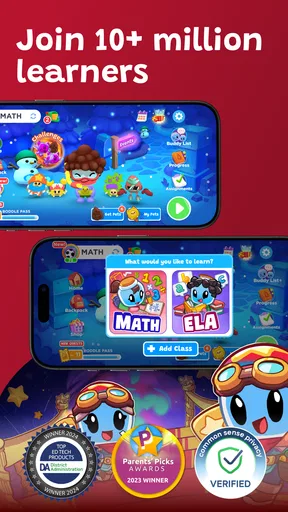
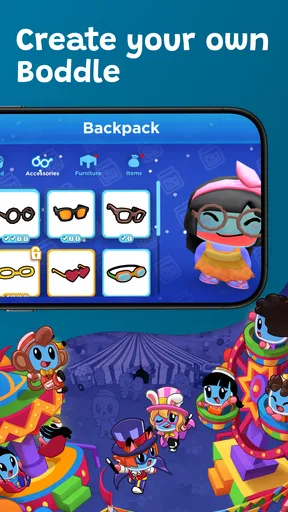
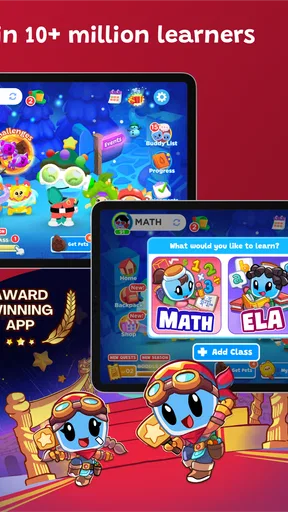
Jumping into Boddle was like stepping into a colorful wonderland. The graphics are vibrant and engaging, which is a big plus, especially for younger users. The characters are adorable, and the whole setup is designed to draw you in. It’s not just about looking pretty, though. The app's interface is intuitive, making it easy for kids to navigate without constant adult supervision. That's a win-win in my book!
The Learning Experience
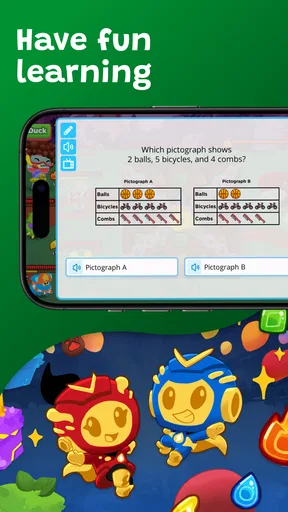
At its core, Boddle is all about math. It cleverly disguises educational content as a game, which is perfect for kids who might not be that thrilled about traditional math lessons. The app covers a broad range of topics, from basic addition and subtraction to more complex concepts. Each topic is broken down into bite-sized challenges, so it's never overwhelming.
What really stands out is the adaptive learning feature. The app adjusts the difficulty based on the user’s performance. So, if your child is breezing through multiplication, Boddle will up the ante with more challenging problems. On the flip side, if they’re struggling, it’ll throw in some easier questions to build confidence. This personalized approach ensures that learning is always at the right level for your child.
Gameplay Mechanics
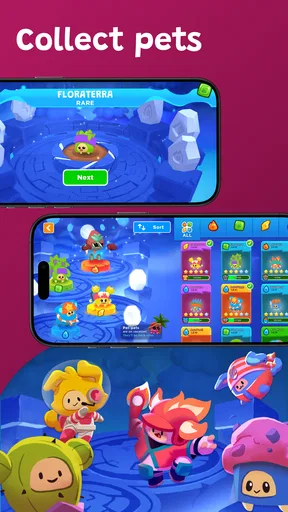
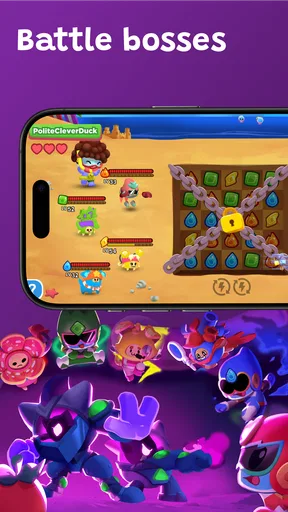
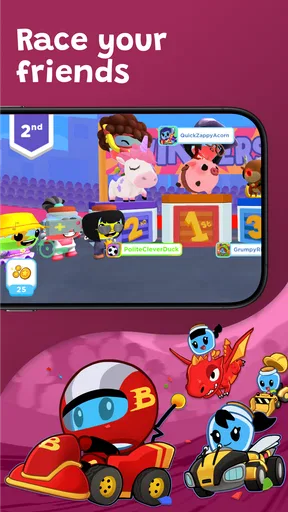
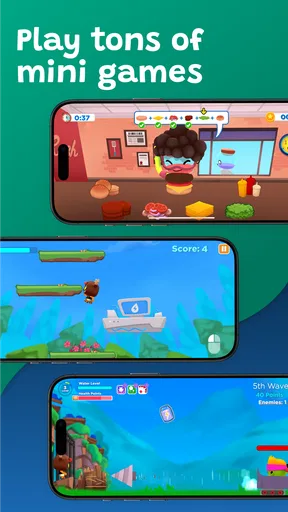
The gameplay is where Boddle truly shines. Kids are tasked with solving math problems to progress through various levels and unlock new features. There are plenty of rewards and badges to keep things interesting. Plus, the app includes a variety of mini-games that break up the monotony of problem-solving.
The narrative element is an added bonus. Kids embark on a quest to save the Boddle world, which adds a layer of excitement and purpose to their learning journey. The app fosters a sense of achievement, motivating kids to keep going and explore more.
Parental Controls and Feedback
For parents, Boddle offers a robust set of controls and feedback options. You can easily monitor your child’s progress through detailed reports that highlight strengths and areas for improvement. This transparency is crucial for ensuring that your child is not only having fun but also genuinely learning and growing.
The app also allows you to set usage limits, which is great if you’re trying to manage screen time. It's a thoughtful addition that shows the developers understand the needs and concerns of today’s parents.
Accessibility and Availability
Boddle is available on both Android and iOS, making it accessible to a wide audience. The app is free to download and offers a range of free content. However, there are some premium features that require a subscription. Whether you choose the free version or decide to upgrade, there’s plenty of content to keep kids engaged.
It's also worth mentioning that the app requires an internet connection to function. This might be a downside if you're looking for something that works offline, but given the rich content and regular updates, it’s a minor inconvenience.
Checking whether it suits your household
The game is free to download, though optional in-app purchases range from $0.99 to $69.99 per item. I would let a child explore only after an adult has looked over the purchase settings and agreed on what is acceptable. That simple step matters in any game with optional spending: the child should understand that rewards earned during play and purchases are not the same thing.
It has an average rating of 4.3 from around 2.6K ratings, and has been installed over 500K times. Those figures suggest that many families have tried it, but they cannot tell me whether it will match one particular child’s learning style. I would treat the first few sessions as a trial: watch for whether the child returns to the questions willingly, and whether the experience leaves them curious or frustrated.
The game was released on November 14, 2021, and its current version is 1.30.1; it requires Android 9 or later. On iOS, families should check compatibility on their device before downloading. The practical point is to confirm that the child’s device can run it and has a dependable connection, particularly if the plan is to use it during travel or away from home.
Making progress useful beyond the screen
Parents often want to know whether a child can use it alone, whether it works without internet, and whether it replaces school instruction. My view is that the interface may support independent navigation, but younger children can still benefit from an adult helping them get started and checking in. It needs a connection, so I would not rely on it as a guaranteed activity on a flight or in a place with unreliable service. And it is best treated as practice alongside teaching, not a substitute for a teacher or targeted help.
A simple way to keep the activity grounded is to connect one game session to an everyday task. If the child has practiced adding, ask them to help compare quantities while setting out snacks or toys; if they have worked on reading, ask them to describe a short instruction they read elsewhere. The aim is not to turn every moment into a lesson. It is to give the child a chance to see that skills used in a game can matter outside it too.
For households deciding whether to pay for anything, I would start with the free experience and identify what the child actually uses before considering an in-app purchase. A child who enjoys the core practice may not need anything extra, while a child who loses interest quickly is unlikely to be won over by spending alone. Keeping that decision with the adult makes the game easier to evaluate on its learning value rather than on the promise of more rewards.
Final Thoughts
Overall, Boddle is an excellent choice for parents looking to supplement their child’s education with something fun and interactive. It’s a well-rounded app that offers a perfect balance of learning and play. The adaptive learning feature ensures that every child gets a personalized experience, and the engaging storyline keeps them coming back for more.
If you're looking to make math a bit more magical, give Boddle a try. It might just turn your child into a math enthusiast, and who wouldn’t want that?
Privacy and Permissions
See what permissions an app requests and how it handles your data.
- Camera
- take pictures and videos
- Other
- view network connections, full network access, run at startup, prevent device from sleeping
Verdict
Strengths of Boddle: Math & Reading Game
- Engaging educational content for kids.
- Interactive and colorful graphics.
- Adaptive learning tracks progress.
- Safe and ad-free environment.
- Encourages critical thinking skills.
Limitations of Boddle: Math & Reading Game
- Limited content for older kids.
- Requires internet for full features.
- In-app purchases can be pricey.
- Occasional glitches in gameplay.
- Limited parental control features.
Similar Picks in This Category
View All
Little Panda Policeman
BabyBus4.0

Monster Trucks Game for Kids 2
Raz Games4.1

Little Panda's Chinese Recipes
BabyBus4.4

Little Panda's Restaurant
BabyBus4.4

Little Panda's Ice Cream Games
BabyBus4.3

Baby Panda Care
BabyBus3.8
Frequently Asked Questions
What is Boddle and what age group is it suitable for?
Boddle is an educational app designed to make learning fun through interactive games and activities. It primarily targets children aged 6 to 11, focusing on key subjects like math. The app uses a gamified approach to engage young learners, making it an excellent tool for both classroom and home environments.
How does Boddle make learning engaging for children?
Boddle incorporates gamification by using avatars, rewards, and levels to motivate children. It transforms traditional learning into a fun experience by integrating storytelling and challenges. The app adapts to each child’s learning pace, ensuring they remain engaged without becoming overwhelmed or disinterested.
Is Boddle safe for children to use?
Yes, Boddle is designed with children's safety in mind. The app does not contain any ads or in-app purchases, ensuring a distraction-free learning environment. Additionally, it complies with all child privacy laws, such as COPPA, to protect young users’ data and privacy.
Can parents or teachers track a child's progress on Boddle?
Absolutely. Boddle provides detailed progress reports for both parents and teachers. These reports highlight the child’s strengths and areas that need improvement, allowing for targeted support. The app’s dashboard offers insights into the time spent learning and the skills mastered, facilitating effective monitoring.
What devices are compatible with Boddle?
Boddle is available for both Android and iOS devices, making it accessible on a wide range of smartphones and tablets. It also offers a web version, allowing children to continue their learning on a computer. This versatility ensures that learning can happen anytime, anywhere.
Play our best games!


